WordPress shipped its second major release of 2026 on August 19th, closing out WordCamp US in Phoenix. Named “Mary Lou” after jazz pianist and composer Mary Lou Williams, the update focuses less on flashy new features and more on making everyday site management smoother — which is exactly the kind of release that matters most to a small business owner who isn’t a developer.
WordPress 7.1 adds built-in responsive design controls, a redesigned image editing workflow, a persistent admin bar across every screen, and improved commenting tools for teams. None of it is flashy, but if you or your team regularly log in to update your own site, this release makes that work noticeably less frustrating. A bug-fix update (7.1.1) is scheduled for mid-September, so it’s worth waiting a couple of weeks before updating a live business site.
What Actually Changed

You Can Now Adjust Mobile Layouts Without Touching Code
Previously, making a block look different on mobile versus desktop usually meant custom CSS — which meant calling a developer for something that should be a five-minute fix. WordPress 7.1 adds responsive styling controls directly in the editor, letting you adjust how a block looks at different screen sizes and preview those changes live as you work.
For a business owner who occasionally needs to tweak their own homepage, this closes one of the more common reasons people were stuck waiting on a developer for a minor visual fix.
A Redesigned Way to Edit Images
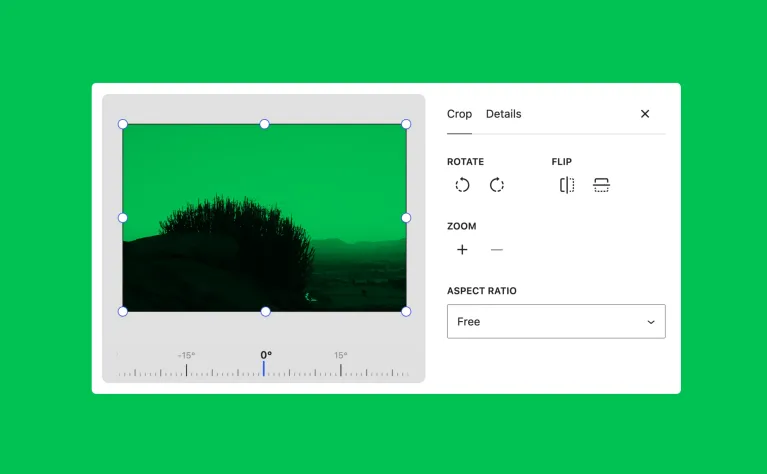
Photo editing inside WordPress gets an overhaul, including faster image processing that happens directly in the browser rather than round-tripping to the server. For image-heavy sites — restaurant menus, salon portfolios, before-and-after galleries — this should mean fewer delays and less friction when uploading and adjusting photos directly from the dashboard.
The Admin Bar Finally Stays Put
A small but genuinely useful change: the black admin bar at the top of the screen now stays visible consistently across every editing screen, instead of disappearing in some views and reappearing in others. It sounds minor until you’ve lost track of which part of the dashboard you’re actually in.
Better Tools for Teams Working on the Same Site
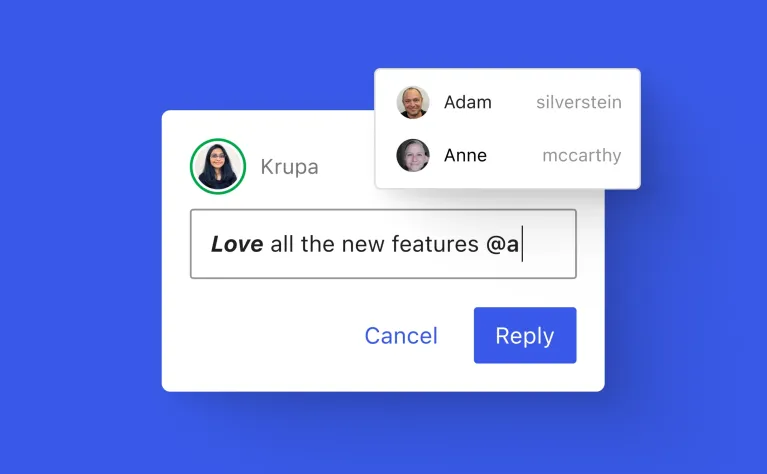
WordPress 7.1 expands its “Notes” feature with @mentions and richer formatting, making it easier for a business owner and their marketing person (or their agency) to leave feedback directly inside a draft post instead of over email or Slack screenshots.
What Didn’t Make It In
Full real-time collaborative editing — multiple people typing in the same document simultaneously, similar to Google Docs — was on the roadmap again for this release and got pushed back a second time. If that’s a feature you’ve been waiting for, it’s still not here.
Should You Update Right Now?
Not immediately. A maintenance release (7.1.1) focused purely on bug fixes is scheduled for mid-September, shortly after the initial 7.1 launch. Major WordPress releases are generally stable, but on a live business site handling bookings, payments, or client data, it’s sensible to let a point release settle any early issues before updating.
If your site is under a maintenance plan, this is exactly the kind of update that should already be handled for you — tested on a staging copy first, then applied to the live site once confirmed safe. If you’re managing updates yourself, back up the site before updating, and check that your theme and any booking or payment plugins explicitly list compatibility with 7.1 before clicking update.
The Bottom Line
WordPress 7.1 isn’t a release that changes how your website looks or performs for visitors — it changes how much you can do yourself without waiting on a developer for small fixes. That’s a genuinely useful shift for any small business owner tired of emailing “can you just move this button” requests. Update it carefully, on a tested site, and let the point release land first if the site is doing anything business-critical.

Builds and hosts WordPress sites for small businesses. Writes about the practical side of running a website — cost, speed, and what's actually worth paying for.