
A real estate website can cost anywhere from around 3,000–8,000 PLN (roughly €700–1,900) for a basic agency site to well over 400,000–800,000 PLN (€90,000–180,000+) for a full property portal with multi-agency listings, user accounts, and automated data feeds. There is no single price because “real estate website” describes dozens of different products — a five-page agency brochure site and a searchable marketplace with thousands of listings, saved searches, and CRM synchronization are both technically “real estate websites,” but they take entirely different amounts of engineering time to build.
The honest answer to “how much does a real estate website cost” is: it depends on how many listings you manage, how sophisticated your search and map functionality needs to be, which systems the site has to talk to (CRM, property feeds, email marketing), and whether you’re building on WordPress or a fully custom platform. This guide breaks down realistic 2026 pricing for each type of project, explains what drives the cost up or down, and gives you a framework for scoping your own budget before you request a quote.
All figures below are indicative market ranges, gathered from current industry pricing across the Polish, European, and international web development markets. They are not fixed Upsitedev prices — every project is scoped individually based on requirements.
Real Estate Website Cost at a Glance
| Type of real estate website | Typical development cost | Complexity |
|---|---|---|
| Basic real estate agency website | 3,000–8,000 PLN (~€700–1,900) | Low |
| Professional agency website | 8,000–25,000 PLN (~€1,900–5,800) | Medium |
| Custom real estate website | 25,000–70,000 PLN (~€5,800–16,500) | Medium/High |
| Property listing website (with feeds/CRM) | 60,000–150,000 PLN (~€14,000–35,000) | High |
| Real estate portal (multi-agency) | 150,000–450,000 PLN (~€35,000–105,000) | High/Very High |
| Real estate marketplace | 450,000 PLN+ (~€105,000+) | Very High |
A few things shape where a specific project lands within these ranges: the number of properties you manage, whether listings sync automatically from a CRM or external feed, how advanced the search and map experience needs to be, how many languages the site supports, and whether the design is templated or fully custom. A small agency with 30 listings and a contact form sits at the bottom of this table; a portal aggregating listings from hundreds of agencies with agent dashboards, moderation, and subscriptions sits at the top — and functions more like software than a marketing website.

What Does a Real Estate Website Usually Include?
Most real estate websites share a common core of functionality, but the depth of each feature is what actually moves the price.
Relatively simple and inexpensive:
- Property listing pages and detail pages
- Property categories (sale/rent, residential/commercial)
- Basic search by location, price, and property type
- Image galleries
- Agent profiles
- Contact and inquiry forms
- Call-to-action buttons
- Responsive design for mobile
Moderate cost impact:
- Bedroom/bathroom/area filters combined with price and location filters
- Interactive maps with property markers
- Mortgage or payment calculators
- Downloadable documents (floor plans, brochures, energy certificates)
- Video and virtual tour embeds
- Favorites and basic property comparison
Significant cost drivers:
- Advanced, combinable search filters (map + price + type + amenities working together)
- User accounts with saved searches and email alerts
- Multilingual content and multilingual SEO
- CRM or property feed integration with automated synchronization
- Agent or owner dashboards for self-service listing management
- Property comparison tools that persist across sessions
The jump in cost usually isn’t any single feature — it’s how many of these features need to work together. A search filter alone is simple. A search filter that respects saved searches, triggers email alerts, works across two languages, and stays in sync with a CRM feed is a different engineering problem entirely.
Real Estate Website Cost by Project Type
Small Real Estate Agency Website
A small agency website typically covers:
- 5–20 pages (home, about, services, listings, contact, agent bios)
- Company information and team/agent profiles
- Property listings with basic detail pages
- Simple search by location, price range, and property type
- Contact and inquiry forms
- Responsive design
- WordPress CMS with a customized or ready-made theme
Typical cost: 3,000–8,000 PLN net (roughly €700–1,900) for a single-agent or small-office site built on WordPress with a premium theme and light customization. This covers design adaptation, property listing setup, basic on-page SEO, and launch. It does not include ongoing hosting, domain, or maintenance, which are recurring costs discussed later.
This tier makes sense for agents and small offices who need a credible online presence and manage listings manually — updating a handful of properties a month through the WordPress admin panel is realistic at this scale.
Professional Real Estate Agency Website
A professional agency site goes beyond a template and starts to reflect the agency’s actual sales process:
- Custom design rather than a stock theme
- Advanced property search with combined filters
- Structured property management (custom post types, not generic blog posts)
- Detailed agent profiles linked to their active listings
- Location or neighborhood pages built for local SEO
- Interactive maps
- CRM integration for lead capture
- Basic property feed import (from a supplier or partner agency)
- Multilingual support (common for agencies working with foreign buyers)
- SEO-focused site architecture and performance optimization
Typical cost: 8,000–25,000 PLN (roughly €1,900–5,800), depending on how many of the above are included and how custom the design is. CRM integration and a second language each typically add a meaningful percentage to the base scope rather than a flat fee, since both require ongoing testing across the rest of the site.
The additional cost here isn’t cosmetic — a custom design requires UX decisions specific to how buyers browse properties, and structured property data (rather than generic pages) is what makes advanced search, filtering, and future integrations possible at all.
Custom Real Estate Website
“Custom” in real estate web development usually means the site’s data structures and functionality are purpose-built rather than assembled from existing plugins. This includes:
- Custom UX/UI designed around the specific property portfolio and buyer journey
- A custom WordPress theme built from scratch, or a fully custom front end
- Custom plugins or modules for property management
- Advanced, combinable search and filtering logic
- External integrations: CRM, XML/API property feeds, email marketing
- Custom agent or admin dashboards
- Automation (e.g., auto-expiring listings, automatic price-change logging)
Typical cost: 25,000–70,000 PLN (roughly €5,800–16,500) for a custom-built agency or developer website with real integrations and a bespoke design system. Projects with heavier automation, multiple integrations, or multilingual content management at scale can land at the higher end or above it.
This tier is the right fit for agencies, developers, and property management companies whose current listing volume or workflow has outgrown what a plugin-based WordPress setup can comfortably handle.
Real Estate Portal or Marketplace
A property portal is a fundamentally different kind of project. Instead of one agency showcasing its own listings, a portal typically supports:
- Thousands of listings from multiple agencies or private owners
- Agent and agency user accounts with role-based permissions
- Property owner registration and self-service listing submission
- Listing moderation and quality control workflows
- Paid listings, featured placements, or subscription tiers
- Saved searches with notifications
- Advanced search combining maps, geolocation, and structured filters
- In-platform messaging between buyers and agents
- Analytics dashboards for agencies and platform administrators
- CRM integrations across many connected agencies rather than one
- APIs for partners and data providers
- Infrastructure built to scale with traffic and listing volume
Typical cost: 150,000–450,000+ PLN (roughly €35,000–105,000+), and full-scale marketplaces with deep third-party data integration and custom infrastructure can exceed this significantly, based on international market data for comparable platforms (see the section below for international benchmarks).
This is closer to building a software product than a marketing website. The database design, the moderation and permissions system, and the infrastructure needed to keep search fast as listings grow are all substantial engineering efforts in their own right — well before any design work happens.
How Much Does a Real Estate Website Cost on WordPress?
WordPress remains the most common platform for real estate agency websites, largely because it separates content management from custom functionality reasonably well when set up correctly. There are three distinct approaches, and none is universally better — it depends on your listing volume, integration needs, and how much control you need over the final product.
WordPress + existing plugins. A real estate plugin (handling property post types, basic search, and agent profiles) combined with a premium theme gets a small agency online quickly and affordably. The trade-off is that you’re working within the plugin’s data model and its assumptions about how a “property” is structured, which can become limiting once you need custom fields, unusual filters, or specific integrations.
WordPress + custom development. This keeps WordPress as the CMS but replaces or extends the property functionality with custom code — custom post types, custom fields, a purpose-built search system, and tailored integrations. It costs more upfront than a plugin-based build but avoids being boxed in by someone else’s plugin architecture.
Fully custom platform. Built outside WordPress entirely (commonly on a modern framework with a headless or fully custom backend). This makes sense once listing volume, integration complexity, or performance requirements exceed what a WordPress + MySQL stack handles comfortably — typically at portal or marketplace scale.
For most single-agency websites, WordPress with either a good plugin or custom development is the more cost-effective route. Fully custom platforms earn their higher price tag at the portal and marketplace end of the spectrum, where WordPress’s content-management assumptions start working against you rather than for you.
Custom WordPress Theme vs Ready-Made Real Estate Theme
| Factor | Ready-made theme | Customized theme | Fully custom theme |
|---|---|---|---|
| Initial cost | Lowest | Moderate | Highest |
| Design flexibility | Limited to theme options | Good within the theme’s structure | Unlimited |
| Performance | Often bloated with unused features | Depends on cleanup done | Best, if built lean |
| Plugin dependency | High | Moderate | Low to none |
| Maintainability | Depends on theme’s update cycle | Moderate | High, if documented well |
| Long-term scalability | Limited | Moderate | Best |
A ready-made theme is appropriate when you need to launch quickly and your requirements match what the theme already supports well. A customized theme — taking a solid base and adapting its design and templates — is a reasonable middle ground for professional agency sites. A fully custom theme is worth the investment when the site’s property data structures, search behavior, or performance requirements go beyond what any pre-built theme was designed for — which is often the case once CRM feeds, advanced filtering, or multilingual SEO enter the picture.
How Much Does Real Estate Property Search Cost?
Property search is frequently the single biggest driver of development cost on a real estate website, because what looks like “one search box” to a visitor is actually several systems working together.
Lower complexity, lower cost:
- Keyword search
- Location and property-type filters
- Simple price-range slider
- Basic sorting and pagination
Higher complexity, higher cost:
- Bedroom, bathroom, and area filters combined with location and price simultaneously
- Map-based search with visible property markers
- Polygon or radius search (“show me properties within this drawn area”)
- Amenity and listing-status filters layered on top of the above
- Saved searches tied to user accounts, with email or push notifications when new matches appear
The cost jump comes from combinability and performance. A filter that works in isolation is straightforward; a filter that has to stay fast and accurate when combined with five other filters, applied to thousands of listings, and rendered on a map in real time requires proper database indexing and query optimization — not just front-end form fields.
How Much Do Maps and Location Features Cost?
Maps are near-universal on real estate websites, and the cost has two separate components:
Development cost — building the map interface, plotting property markers, connecting map interactions to the search and filter system, and geocoding property addresses so they display correctly. This ranges from a simple embedded map on a contact page (minimal cost) to a fully interactive map-driven search experience (a meaningful share of a project’s total search-related budget).
Third-party API usage cost — providers such as Google Maps, Mapbox, or OpenStreetMap-based services typically charge based on usage (map loads, geocoding requests) beyond a free tier. Current pricing for these services changes periodically and varies by provider and usage volume, so it’s worth checking each provider’s official pricing page directly at the planning stage rather than budgeting from outdated figures.
For a growing property portfolio, geocoding hundreds or thousands of addresses and keeping map data current as listings are added, updated, or removed also adds a small but real ongoing engineering cost, separate from the API fees themselves.
Real Estate CRM and Property Feed Integration Costs

Integrations are one of the areas where a “simple” real estate website quietly becomes an expensive one, because the complexity isn’t visible in the site’s design — it’s in how reliably data moves between systems.
Common integration points include:
- CRM systems (for lead capture and agent follow-up)
- Property databases, supplier feeds, or agency network feeds where applicable
- XML feeds and JSON/REST APIs from listing suppliers or partner agencies
- Property management systems
- Lead management and email marketing platforms
One-way synchronization — pulling listings, prices, and images from a feed into the website, without pushing anything back — is the simpler and more affordable integration pattern. It typically covers importing new listings, updating prices, removing sold or rented properties, and syncing images and availability on a schedule.
Two-way synchronization — where actions on the website (an inquiry, a status change, a new listing submitted through an owner dashboard) also update the source system — is significantly more complex. It requires handling conflicts (what happens if the same listing is edited in both places), authentication between systems, error handling when a sync fails partway through, and monitoring to catch silent failures before they cause stale or incorrect listings to stay live.
A basic one-way feed import is a well-understood, moderate-cost piece of work. A robust bidirectional integration with proper error handling and monitoring is closer to a small software project in its own right, and pricing should reflect that difference rather than treating “integration” as a single line item.
How Much Does Real Estate Website Design Cost?
Design is often budgeted separately from development, and it typically represents a meaningful share — commonly in the range of 15–25% — of a project’s total cost, more on custom builds.
Real estate design work usually includes:
- UX research into how the target buyer actually searches (by location, by price, by lifestyle need)
- Information architecture — deciding how listings, locations, and agent content relate to each other
- Wireframes for key templates: homepage, search results, property detail page
- UI design and a consistent design system
- Property listing cards designed to work well in both list and map views
- Property detail page layout (galleries, floor plans, key facts, inquiry form placement)
- Mobile-first responsive design, since a large share of property browsing happens on mobile
- Agent profile design that builds trust without cluttering the listing experience
Real estate websites often need more UX work than a typical corporate site because the property detail page and the search experience are doing the actual selling — unlike a services page that mainly needs to communicate credibility, a listing page has to present dense information (price, area, location, features, availability) clearly enough to move a visitor toward an inquiry.
Real Estate Website SEO and Development Cost
SEO for property websites is structural, not just editorial, and it needs to be planned during development rather than bolted on afterward.
Key considerations include:
- Clean, consistent URL structures for properties, locations, and property types
- Location and property-type landing pages built for local search intent
- Indexable filter combinations handled carefully to avoid generating thousands of thin, near-duplicate pages
- Canonical URLs to manage duplicate content from filter and sort parameters
- Structured data (schema markup) for properties, so listings can appear with rich results
- Breadcrumb navigation and internal linking between related properties and locations
- XML sitemaps that update automatically as listings are added or removed
- Image optimization, since property photography is typically the heaviest asset type on the site
- Core Web Vitals and page speed, particularly on listing and search pages with many images
- A clear process for handling expired or removed listings (redirect, “similar properties” page, or a proper 410/404 — not a dead link)
- Multilingual SEO with correctly implemented hreflang tags where multiple languages are supported
Retrofitting SEO architecture onto an existing real estate site — especially fixing duplicate content from filters or years of expired listing URLs — is usually more expensive and time-consuming than building it correctly from the start.
How Much Does a Multilingual Real Estate Website Cost?

Multilingual functionality affects both the initial build and ongoing running costs, and the two shouldn’t be confused.
On the development side, going multilingual typically means:
- A language switcher and URL structure that supports multiple locales
- Multilingual plugin setup (on WordPress) or a custom localization layer
- Translated static content, navigation, and forms
- Property attributes and descriptions available per language, not just the static pages
- Localized SEO metadata and, where relevant, localized URLs rather than just translated titles
- Localized currencies and units, particularly relevant for international buyers
On the ongoing side, every new listing, blog post, or page update now needs to be translated and kept in sync across languages, which is a recurring content-management cost that’s easy to underestimate at the planning stage. A two-language agency site aimed at international buyers is common in Poland’s larger cities and coastal/resort markets; a portal supporting several languages across a large listing volume should budget translation workflow as a genuine ongoing line item, not a one-time task.
Real Estate Website Maintenance Cost
Development cost and maintenance cost are two separate budgets, and treating them as one is a common source of underestimating the total cost of ownership.
Development cost covers building and launching the site. Maintenance cost covers keeping it running, secure, and accurate after launch, including:
- WordPress core and plugin updates
- Security monitoring and vulnerability patching
- Regular backups
- Performance optimization as listing volume and traffic grow
- Bug fixes and small functional adjustments
- Content changes and new listing uploads (where not automated via a feed)
- Monitoring property feed and API integrations for silent failures
- Hosting
- General technical support
Ongoing maintenance for a professionally built WordPress site typically runs as a modest monthly retainer rather than a large one-time cost, scaling up for sites with more integrations, more traffic, or heavier e-commerce/transaction functionality to monitor. If you’re evaluating WordPress maintenance in more detail, it’s worth reading Upsitedev’s dedicated guide to WordPress website maintenance costs, which breaks down what a maintenance retainer typically includes.
What Affects the Cost of a Real Estate Website?
- Number of pages — more templates and content types mean more design and build time.
- Number of property listings — affects database design, search performance, and content migration effort.
- Custom design — a bespoke design system costs more than adapting an existing theme.
- Property search complexity — combinable filters, maps, and saved searches all add engineering time.
- Map functionality — interactive, filterable maps cost more than a static embedded map.
- CRM integration — one-way lead capture is simpler than deep two-way sync.
- API/XML integrations — each additional data source adds its own testing and monitoring burden.
- Custom WordPress development — moving beyond plugin defaults increases both cost and flexibility.
- Custom plugins — bespoke functionality not available off-the-shelf.
- User accounts — authentication, profiles, and permissions add a persistent layer of complexity.
- Agent dashboards — self-service tools for agents to manage their own listings.
- Property submission — letting external users add listings directly.
- Property moderation — review and approval workflows for submitted content.
- Multilingual functionality — both a development and an ongoing content cost.
- SEO requirements — structural SEO work planned during development.
- Performance requirements — especially relevant for image-heavy listing pages.
- Security — more critical once user accounts or payments are involved.
- Hosting infrastructure — scales with traffic, listing volume, and uptime requirements.
- Content migration — moving existing listings and content from an old system.
- Third-party services — maps, CRM, email marketing, analytics.
- Automation — auto-expiring listings, scheduled feed syncs, automated notifications.
- Payment/subscription functionality — relevant for portals charging for listings or memberships.
- Analytics — dashboards and reporting for agencies or platform administrators.
- Mobile UX — a large share of property browsing happens on mobile devices, and it needs dedicated design attention rather than being an afterthought.
Real Estate Website Cost Examples
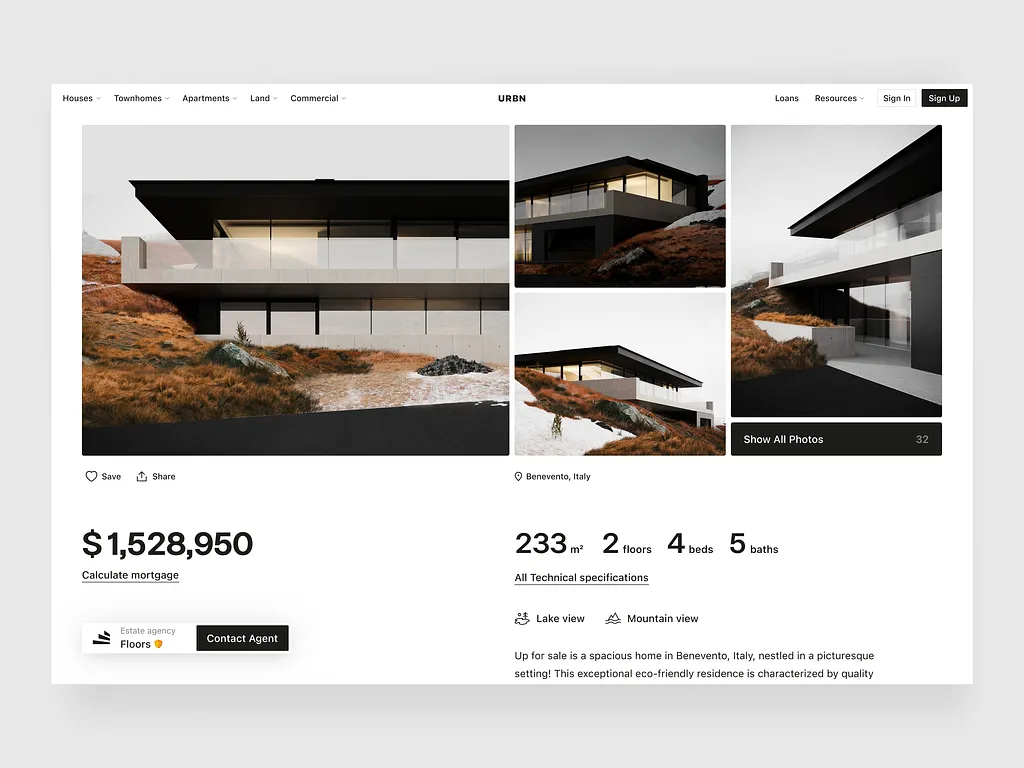
These are illustrative, hypothetical project scopes to show how the cost drivers above combine in practice — not quotes for specific past projects.
Example 1: Small Real Estate Agency
Scope: WordPress, customized existing theme, 10–15 pages, property listings managed manually, contact forms, responsive design, basic on-page SEO.
Indicative range: 3,000–7,000 PLN (~€700–1,600). This fits an independent agent or a small local office managing a modest number of listings by hand.
Example 2: Professional Real Estate Agency
Scope: Custom design, advanced property search with combined filters, agent profiles linked to listings, interactive maps, CRM integration for lead capture, two-language support, SEO-focused architecture.
Indicative range: 12,000–25,000 PLN (~€2,800–5,800). The added cost here comes primarily from the custom design work, the CRM integration, and building out a second language properly rather than as an afterthought.
Example 3: Real Estate Agency With Property Feed
Scope: WordPress with a custom theme, one-way XML/API property feed from a supplier or partner network, automated listing and price updates, image synchronization, advanced search.
Indicative range: 40,000–80,000 PLN (~€9,300–18,600). The main cost driver is the feed integration and the ongoing reliability work (handling failed syncs, duplicate detection, expired listing cleanup) rather than the visible front-end features.
Example 4: Real Estate Portal
Scope: Multiple contributing agencies, user accounts for agents and property owners, self-service listing submission, moderation workflow, subscription-based paid listings, advanced map-based search, notifications for saved searches.
Indicative range: 200,000–400,000+ PLN (~€47,000–93,000+). The budget here is substantially higher because the project involves designing a multi-tenant data model, permissions and moderation systems, and infrastructure built to stay fast as listing volume and traffic grow — work that has little to do with visual design and everything to do with software architecture.
WordPress vs Custom Real Estate Platform
| Factor | WordPress | Custom Platform |
|---|---|---|
| Initial development | Lower for most agency-scale projects | Higher, justified at portal/marketplace scale |
| Customization | Good, within the CMS’s structure | Unlimited, built to exact requirements |
| Time to launch | Generally faster | Generally longer |
| Property management | Strong with the right plugin or custom post types | Fully tailored to the business’s exact workflow |
| Integrations | Good for common integrations; more work for complex bidirectional sync | Built for whatever integration complexity is required from day one |
| Scalability | Solid for agency-scale listing volumes | Better suited to very high listing volumes and traffic |
| Maintenance | Regular core/plugin updates needed | Depends on the chosen stack and how it’s maintained |
| Long-term development | Efficient for incremental feature additions within WordPress’s model | More flexible for major architectural changes over time |
Neither approach is universally better. The right choice depends on your listing volume today and expected in the next few years, how many integrations you need, whether your team can manage WordPress updates and plugin maintenance, and whether your growth plans involve functionality (like a full multi-agency marketplace) that WordPress’s content-management model wasn’t designed around.
Hidden Costs of Building a Real Estate Website
Businesses planning a real estate website frequently budget for the visible build and overlook the recurring costs around it.
One-time costs:
- Domain registration
- Initial premium plugin or theme licenses
- Content creation and professional property photography
- Initial translations for a multilingual launch
- Logo and branding, if not already established
Recurring costs:
- Hosting
- Premium plugin renewals
- Map and other third-party API usage
- CRM subscription fees
- Property feed or data provider service fees
- Email marketing platform subscriptions
- CDN
- SSL certificate (often bundled with hosting, but not always)
- Image storage, particularly at scale with thousands of listing photos
- Backups
- Security monitoring
- Ongoing content creation and translations
- Ongoing SEO work
- Maintenance and future development
Separating these two categories at the planning stage — rather than discovering the recurring costs after launch — makes it much easier to budget accurately for the first full year of running the site, not just the initial build.
How to Estimate Your Real Estate Website Budget

Step 1: Define your business model. Are you an independent agent, an agency, a developer marketing a single project, a property manager, or building a marketplace connecting multiple parties? Each implies a different starting scope.
Step 2: Define the property inventory. How many properties will you list at launch, and how many do you expect to manage in a year or two? This affects both search architecture and integration needs.
Step 3: Define search requirements. Will simple filters be enough, or do buyers in your market expect map-based, combinable search?
Step 4: Identify integrations. List every system the website needs to talk to: CRM, property feed, payment system, email platform, and whether each needs one-way or two-way sync.
Step 5: Define design requirements. Template-based, customized, or fully custom — and how much of your brand identity already exists versus needs to be created.
Step 6: Define SEO requirements. Which pages genuinely need to rank (location pages, property types), and which markets you’re targeting.
Step 7: Define languages and markets. How many languages, and is content translation an internal responsibility or something the development budget needs to cover.
Step 8: Estimate development based on the categories above, using this guide’s ranges as a starting reference point.
Step 9: Add third-party services — map APIs, CRM subscriptions, feed services — as ongoing line items, not one-time costs.
Step 10: Budget for maintenance and future development, since a real estate website is rarely a “build once and forget” project — listings, integrations, and search expectations all evolve.
How to Get an Accurate Real Estate Website Quote
The quality of a development quote depends directly on how much detail you provide upfront. Before requesting one, it helps to have clear answers to:
- What’s your business model (agency, developer, broker, property manager, marketplace)?
- How many properties and how many agents will the site need to support?
- What are your target markets and languages?
- Which pages and features are must-haves versus nice-to-haves?
- What are your search and map requirements?
- Which integrations do you need (CRM, property feeds, payment systems)?
- Do you have an existing website, and if so, what content and data need to migrate?
- What are your SEO priorities and expected traffic?
- What’s your target launch date?
Detailed requirements produce more reliable estimates because most of the cost variation in real estate websites comes from integration complexity and search sophistication — two things that are easy to underestimate verbally but straightforward to scope once written down clearly.
FAQ
How much does a real estate website cost in 2026?
A real estate website in 2026 typically costs between roughly 3,000 PLN (~€700) for a basic small-agency WordPress site and several hundred thousand PLN for a full property portal, with most professional agency websites falling in the 8,000–25,000 PLN (~€1,900–5,800) range. The exact cost depends on listing volume, search complexity, integrations, and design requirements.
How much does it cost to build a real estate website?
Costs range widely based on scope: a basic agency site costs a few thousand PLN, a custom agency or developer website with integrations typically runs into the tens of thousands of PLN, and multi-agency portals or marketplaces can run into the hundreds of thousands.
How much does a real estate agency website cost?
A professional real estate agency website with custom design, advanced search, maps, and CRM integration typically costs 8,000–25,000 PLN (~€1,900–5,800). A basic agency brochure site can cost as little as 3,000–8,000 PLN.
How much does a custom real estate website cost?
A custom real estate website — with a bespoke design, custom property management functionality, and real integrations — typically costs 25,000–70,000 PLN (~€5,800–16,500), depending on the number of integrations and how much automation is built in.
How much does a WordPress real estate website cost?
WordPress real estate websites range from around 3,000 PLN for a plugin-based small-agency site to 70,000+ PLN for a heavily customized WordPress build with property feeds, CRM integration, and multilingual support. WordPress works well across most agency-scale projects; very large portals typically move beyond WordPress entirely.
Planning a real estate website? Tell Upsitedev about your project — the number of listings, the integrations you need, your target markets, and your goals — and you’ll get a clearer picture of the realistic scope, timeline, and development budget for your specific case.

Builds and hosts WordPress sites for small businesses. Writes about the practical side of running a website — cost, speed, and what's actually worth paying for.