
Search “how to speed up WordPress” and you’ll get the same fifteen-item checklist everywhere — install a caching plugin, use a CDN, minify CSS — with no sense of which of those actually matters for a given site. Here’s what genuinely moves the needle in 2026, roughly in order of impact.
For most WordPress sites, the biggest speed wins come from image optimization, quality hosting, and reducing plugin bloat — in that order. A caching plugin and a CDN help, but they’re compensating for weight that shouldn’t be there in the first place. Fixing the underlying page weight before adding more layers on top of it is almost always the faster, cheaper path to a good Core Web Vitals score.
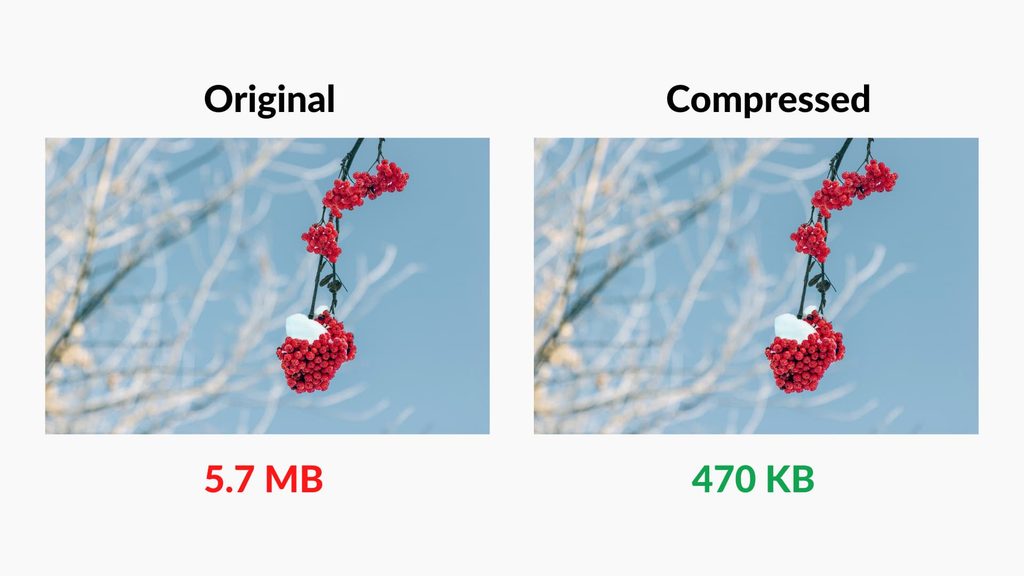
1. Compress and Correctly Size Every Image
Unoptimized images are, by a wide margin, the most common cause of a slow WordPress site. A photo taken on a phone and uploaded at full resolution, then displayed at a fraction of that size, forces visitors to download pixels they’ll never see.
- Use next-gen formats (WebP or AVIF) instead of JPEG or PNG where the theme and plugins support it
- Resize images to the actual maximum display size before uploading, not after
- Enable lazy loading so images below the fold don’t load until a visitor scrolls to them
2. Choose Hosting Built for WordPress
Cheap shared hosting is the ceiling on every other optimization on this list — no amount of caching fixes a server that’s slow to respond in the first place. Managed WordPress hosting, built specifically to run WordPress efficiently, consistently outperforms generic shared hosting even before any other tuning happens.
3. Audit and Remove Unused Plugins
Every active plugin adds scripts, styles, and often database queries, whether or not a page actually uses what it provides. A site accumulated over several years often has plugins installed for a feature that was tested once and forgotten — auditing what’s actually active, and removing anything not genuinely in use, is one of the highest-leverage changes available.
4. Use a Caching Plugin — Correctly Configured
Caching serves a pre-built version of a page instead of generating it fresh on every visit, and it’s still one of the more effective single changes available. The catch is that a caching plugin installed with default settings and never touched again often isn’t caching the pages that matter most, or is caching pages that need to update in real time — it’s worth actually reviewing the configuration rather than assuming it’s working.
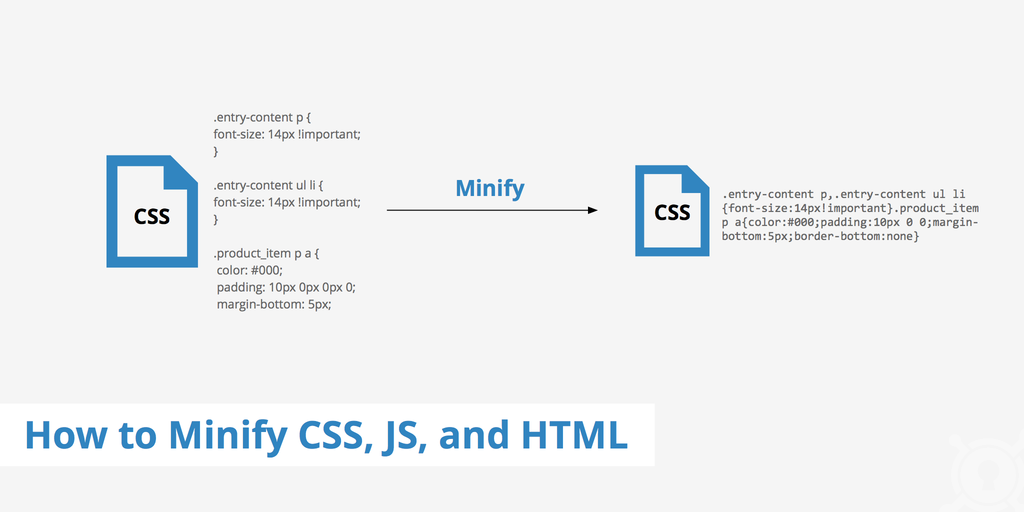
5. Minify and Combine CSS/JavaScript — With Care
Reducing the number and size of CSS and JavaScript files cuts down on requests and page weight. This is a real improvement, but it’s also the optimization most likely to visibly break a site if done carelessly — combining scripts that need to load in a specific order, or minifying something a theme depends on being readable, can cause a page to render incorrectly. Test thoroughly after any change here.
6. Use a Content Delivery Network (CDN)
A CDN serves a site’s static files (images, CSS, JavaScript) from a server physically closer to each visitor, which meaningfully helps for a global audience and helps less for a site whose traffic is concentrated in one country. Worth setting up, but it’s not a substitute for fixing page weight — a CDN delivers a heavy page faster, but it’s still a heavy page.
7. Limit Render-Blocking Resources
Scripts and stylesheets that must fully load before a page can render are one of the most direct causes of a poor Largest Contentful Paint score. Deferring non-critical JavaScript and loading critical CSS inline, where a theme or plugin supports it, is more technical than most items on this list, but it’s often the difference between a good and excellent Core Web Vitals score.
8. Clean Up the Database Periodically
Years of post revisions, spam comments, and transient options accumulate in a WordPress database and slow down every query the site makes. Periodic database cleanup — through a plugin or a developer running the cleanup directly — is easy to forget because it doesn’t show up as a visible problem until the site has been running for a while.
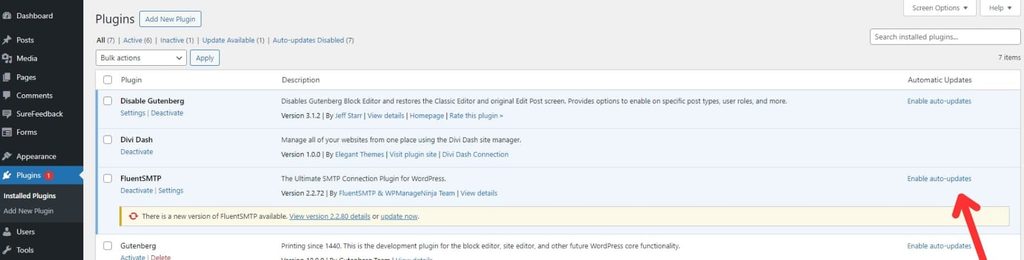
9. Keep Everything Updated
Outdated versions of WordPress core, themes, and plugins aren’t just a security risk — many updates include real performance improvements that a site running old versions simply never receives. Staying current is a low-effort, ongoing way to keep a site benefiting from improvements that have already been made.
Popular “Speed Tips” That Matter Less Than They Used To
- Switching themes for “speed.” Modern well-coded themes from major builders perform similarly to most “lightweight” themes in practice — the plugins and content on top of a theme usually matter more than the theme choice itself.
- Obsessing over server response time in isolation. A fast server with a bloated, unoptimized front end still produces a slow-loading page — response time matters, but it’s one input among several, not the whole picture.
- Chasing a perfect 100 PageSpeed score. Diminishing returns set in well before 100 — the jump from a poor score to a good one matters far more to actual users and rankings than the last few points toward a perfect score.
The Bottom Line
The fastest path to a meaningfully faster WordPress site in 2026 is fixing image weight, choosing hosting built for WordPress, and removing plugins that aren’t earning their keep — before reaching for another caching or optimization plugin to compensate for that weight. Once those three are handled, caching, a CDN, and render-blocking cleanup are what take a site from good to genuinely fast.
Speed isn’t a one-time project, either — a site that’s fast at launch accumulates the same image bloat and plugin sprawl over time unless someone’s periodically checking. That check is a normal part of ongoing maintenance, not a separate project to revisit once a year when the site has already slowed down.

Builds and hosts WordPress sites for small businesses. Writes about the practical side of running a website — cost, speed, and what's actually worth paying for.